TL;DR:
- Customer support automation leverages AI agents, workflows, and escalation to resolve routine issues efficiently.
- Focusing on high-volume, low-complexity tasks and measuring confirmed resolution ensures effective automation deployment.
Customer support automation uses AI agents, workflow logic, and intelligent escalation to resolve routine issues without human intervention — the single best next step is to audit your top ticket drivers and pick one high-volume, low-complexity use case to pilot this week. If your team handles the same 10 questions on repeat, or agents spend hours manually sorting and assigning tickets, you already have the business case.
Table of Contents
- What customer support automation actually means in 2026
- How automation processes a request from start to finish
- The core technologies you need to build a production-ready system
- Which support tasks are worth automating first?
- Benefits you can expect and the KPIs to track them
- Where automation breaks CX and how to govern against it
- A step-by-step implementation roadmap
- How to know your automation is actually working
- What a real implementation timeline looks like
- Key Takeaways
- The part most automation guides skip
- Get a free automation audit from Cannatract
- Useful sources
- FAQ
What customer support automation actually means in 2026
The term covers a wide range of tools, but the modern definition is specific: automation that detects customer intent, retrieves relevant information, takes a verified action, and either resolves the case or escalates it to a human with full context. That last part matters more than most vendors admit.
Older, rule-based systems operated on keyword triggers and rigid decision trees. If a customer typed "refund," the bot matched the word and returned a canned response. No context. No learning. No ability to handle a sentence like "I never got my order and I need this sorted before Friday." Those systems deflected tickets — they rarely resolved them.
Modern agentic AI works differently:
- Rule-based automation: Fixed keyword triggers, static decision trees, no context memory, brittle when phrasing varies.
- Agentic AI automation: Natural language processing (NLP) reads intent, not just keywords. The system queries your CRM, knowledge base (KB), and order data in real time. It takes actions (issue refund, update account, send notification) and confirms the outcome. When it cannot resolve the case, it escalates with a complete handoff artifact.
The critical distinction is how success gets measured. Deflection counts how many tickets the bot touched. Confirmed resolution counts how many customers actually got their problem solved. Build your program around the second number.
How automation processes a request from start to finish
Understanding the technical flow helps you spot where integrations break and where governance checkpoints belong. Here is the end-to-end sequence:
- Channel intake. The request arrives via chat widget, email, SMS, voice IVR, or social messaging. An orchestration layer normalizes it into a structured event.
- Intent detection. An NLP model classifies the request: "order status," "billing dispute," "password reset," "cancellation." Confidence scores determine whether the system proceeds autonomously or flags for human review.
- Information retrieval. The system queries the KB for policy answers and the CRM for account history, order data, and prior interactions — building a single customer timeline.
- Autonomous action. For confirmed, in-scope requests, the workflow engine executes: look up the order, trigger the refund API, update the account field, send the confirmation email.
- Action verification. The system checks that the action completed successfully. A failed API call or an ambiguous outcome triggers a fallback path, not a silent error.
- Escalation or resolution. If the case is resolved, it closes with a confirmation to the customer. If not, it escalates to a live agent with the full handoff artifact — transcript, actions taken, account flags, and the reason for escalation.
Pro Tip: Design the handoff artifact as a first-class output from day one. The agent receiving the escalation should be able to read a five-line summary and own the next step immediately — no asking the customer to repeat themselves, no digging through logs.
Human-in-the-loop checkpoints belong at two places: after intent detection (when confidence is below your threshold) and after action verification (when the system cannot confirm the outcome). These are your stop conditions. Define them before you go live, not after your first complaint.

The core technologies you need to build a production-ready system
No single tool covers the full stack. A production-ready AI automation system requires several components working together:
- Conversational AI / NLP engine: Handles intent classification, entity extraction, and dialogue management. Examples include large language model (LLM)-based agents and task-specific NLP classifiers.
- Knowledge base (KB): The trusted content layer. Answers are only as good as the KB behind them. Stale or contradictory articles are a direct cause of wrong automated responses.
- Ticketing and CRM platform: The system of record. Automation needs read/write API access to create, update, tag, and close tickets, and to pull customer history.
- Workflow / business process automation (BPA) engine: Orchestrates multi-step logic: if intent = "return request" and order age < 30 days, trigger return label API, update order status, send email.
- Robotic process automation (RPA): Handles backend actions in systems without APIs — legacy ERP screens, internal portals, compliance logging.
- IVR / voice layer: Routes and handles inbound calls. Modern IVR uses NLP rather than touch-tone menus, enabling natural speech input.
- Analytics and monitoring: Tracks resolution rates, escalation rates, CSAT on automated interactions, and SLA compliance in real time.
Integration depth is where most pilots fail. A unified customer timeline — one view of every interaction across channels — requires API access to your order management system, CRM, and KB simultaneously. When evaluating tools or partners, require a minimum integration checklist: bidirectional CRM sync, webhook-based action triggers, audit logging, and a defined escalation API that passes the full context object.
Which support tasks are worth automating first?
Not every support task is a good automation candidate. The best targets share three traits: high volume, low decision complexity, and a measurable outcome you can verify. Common use cases that meet all three:
- Ticket triage and routing: Classifying incoming tickets by intent and routing them to the right queue or agent. Automated routing eliminates manual queue work and cuts first response time when driven by intent detection and CRM context.
- Password resets and account updates: Fully automatable with identity verification. Zero agent time required.
- Order status inquiries: High volume, low complexity. The bot queries the order system and returns a real-time status. Resolution is instant and verifiable.
- Returns and refund initiation: Automatable within defined policy windows. The system checks eligibility, triggers the return workflow, and confirms with the customer.
- Appointment scheduling: Reads calendar availability, books the slot, sends confirmation. Works well for field service, healthcare, and professional services.
- Agent assist (reply suggestions): Rather than replacing the agent, the system surfaces KB articles, suggested replies, and account context in real time. Reduces handle time without removing human judgment.
- Proactive notifications: Shipping delays, appointment reminders, billing alerts. Outbound automation that prevents inbound tickets.
For your first pilot, pick one use case where you can answer yes to all three questions: Is the volume high enough to show impact within 30 days? Is the resolution path clear and policy-defined? Can you measure whether the customer's problem was actually solved?
Automated ticket routing combined with a CRM-integrated customer timeline is a strong first pilot for most US operations teams — it shows measurable impact on first response time without requiring a full conversational AI build.

Benefits you can expect and the KPIs to track them
The business case for automated customer service is straightforward when you measure the right things. Primary benefits include faster resolution, lower cost-to-serve, consistent answers at any hour, and agents freed to handle work that actually requires human judgment.
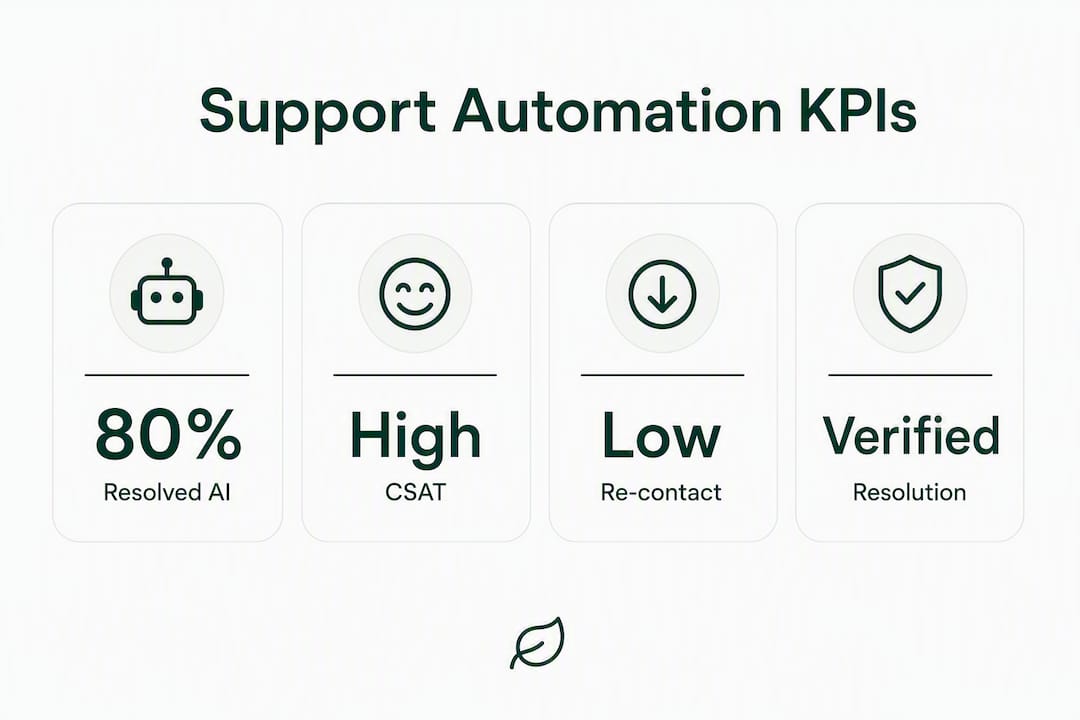
Gartner predicts that agentic AI will autonomously resolve 80% of common customer service issues without human intervention by 2029. That trajectory is already visible in early deployments — teams that automate high-volume, low-complexity tasks typically see measurable reductions in average handle time and re-contact rates within the first 60 days.
Track these metrics to verify actual impact:
| KPI | What it measures | Why it matters |
|---|---|---|
| Confirmed resolution rate | Cases closed without re-contact | True automation effectiveness, not just deflection |
| Re-contact rate | Customers who return with the same issue | The clearest signal that automation failed |
| First contact resolution (FCR) | Issues resolved on first interaction | Overall support quality across human and automated channels |
| Time to resolution (TTR) | Total time from open to close | Speed improvement from routing and auto-resolution |
| Average handle time (AHT) | Agent time per ticket | Efficiency gain from agent assist and pre-triage |
| CSAT on automated interactions | Customer satisfaction score, automation-only | Whether customers accept automated resolution |
| Customer effort score (CES) | How hard the customer had to work | Friction indicator for self-service flows |
| Automation resolution rate | % of cases fully resolved by automation | Pilot scope and scale planning |
Prioritize confirmed resolution rate, re-contact rate, and CSAT over raw deflection. Deflection alone tells you the bot touched the ticket — it does not tell you whether the customer's problem was solved.
Where automation breaks CX and how to govern against it
Over-automation without effective human fallback breaks customer experience faster than it fixes it. The failure modes are predictable:
- Poor handoffs: Agent receives a ticket with no context. Customer repeats themselves. Trust collapses.
- Stale knowledge base: Bot answers from outdated policy articles. Customer gets wrong information and escalates angry.
- No human fallback: Automation loops on an unresolvable case. Customer cannot reach a person. IBM's guidance is clear: bots should supplement agents, not replace the path to one.
- Rigid workflows that repeat errors: A workflow that fails once will fail the same way every time unless you have a feedback loop.
- Data quality issues: Duplicate CRM records, missing order data, or inconsistent KB tagging all produce wrong automated actions.
Governance checklist to run before go-live:
- KB quality audit: every article reviewed, dated, and assigned an owner.
- Escalation rules documented: which intents always go to human, which require confidence threshold.
- Stop conditions defined: rising re-contact rate, CSAT drop below threshold, or SLA breach triggers automatic pause.
- Audit logging active: every automated action recorded with timestamp, intent classification, and outcome.
- Retraining cadence scheduled: monthly review of misclassified intents and failed resolutions.
- SLA monitoring live: automated alerts when resolution time exceeds defined limits.
Pro Tip: Treat the handoff artifact as part of the automation's output, not an afterthought. Build it into the workflow spec: transcript, intent classification, actions taken, account flags, and escalation reason — all passed as structured data to the receiving agent.
A step-by-step implementation roadmap
Gartner recommends staging AI deployments by use-case readiness rather than attempting full adoption at once. Here is a seven-step roadmap that reflects that approach:
- Audit your ticket drivers. Pull 90 days of ticket data. Identify the top 10 intents by volume. Note which are repetitive, policy-defined, and measurable.
- Select your pilot use case. Choose one: high volume, clear resolution path, verifiable outcome. Ticket routing or order status are common first choices.
- Define success metrics and SLAs. Set baseline values for confirmed resolution rate, re-contact rate, and CSAT before you build anything. Define the threshold that triggers a pause.
- Choose tools and integrations. Map required API connections: CRM, KB, ticketing platform, order system. Confirm bidirectional sync and audit logging are available.
- Build the sandbox and data pipeline. Stand up the automation in a test environment. Connect to anonymized production data. Run end-to-end tests including failure paths and escalation flows.
- Pilot and QA. Go live on a subset of traffic (10–20%). Human agents review automated interactions daily. Track all KPIs from day one.
- Review metrics and scale. After 30 days, assess confirmed resolution rate and re-contact rate against baseline. If targets are met, expand scope. If not, diagnose before scaling.
For the pilot phase, a realistic scope looks like this:
- Timeline: 2–4 weeks to ship a working pilot for a single, well-defined use case.
- Success criteria: Confirmed resolution rate above baseline, re-contact rate flat or declining, CSAT on automated interactions within 5 points of human-handled CSAT.
- Stakeholder roles: Operations lead owns the pilot scope; IT owns integrations; support team lead owns QA and escalation review.
When evaluating vendors or agency partners, ask these questions directly:
- What CRM and ticketing platforms do you integrate with natively?
- Where does customer data reside, and how is it secured?
- How are escalation rules configured and updated?
- Who maintains the system post-launch, and what does that cost?
- Can you show a production example with similar ticket volume and use case?
How to know your automation is actually working
Shipping a pilot is not the finish line. Monitoring is where most teams underinvest, and it is where regressions hide until they become customer complaints.
Daily health checks:
- Automation resolution rate vs. prior day.
- Escalation rate and escalation reason distribution.
- Any SLA breaches on automated interactions.
- API error rate on action execution.
Weekly KPI review:
- Re-contact rate trend (week over week).
- CSAT on automated interactions vs. human-handled.
- Escalation quality score (did the agent have enough context to resolve without re-asking?).
- Volume of manual overrides by agents.
Monthly QA sampling:
- Human review of a random sample of automated interactions (aim for 5–10% of volume).
- Identify misclassified intents and failed resolutions.
- Feed confirmed outcomes back into the model or training pipeline for continuous improvement.
Signals that mean pause or rollback: re-contact rate rising more than 10% above baseline, CSAT on automated interactions dropping below your defined threshold, or agents frequently overriding automated actions. Any of these means the system is creating more work, not less. Stop, diagnose, fix, then re-pilot.
What a real implementation timeline looks like
For a single, well-scoped use case, a working pilot ships in 2–4 weeks. A full audit-to-scale engagement typically runs 8–12 weeks. The timeline is:
- Weeks 1–2: Ticket-driver audit, use-case selection, integration mapping, and sandbox setup.
- Weeks 3–4: Build, internal QA, and pilot launch on limited traffic.
- Weeks 5–8: Live monitoring, weekly KPI review, iteration on intent classification and KB gaps.
- Weeks 9–12: Scale to full traffic, add a second use case, hand off to operations or transition to a managed retainer.
An agency engagement with Cannatract covers the full sequence: audit, sandbox build, CRM and ticketing integration, QA, pilot support, and handoff to your ops team or an ongoing managed arrangement. The free automation audit includes a ticket-driver analysis, a recommended pilot use case, and an estimated ROI based on your actual volume and handle time data.
What to expect from the audit:
- Top 5–10 ticket intents by volume, with complexity and automation-readiness scores.
- A recommended first pilot use case with a defined success metric.
- An integration map showing which systems need to connect and where gaps exist.
- A rough ROI estimate based on current AHT, ticket volume, and expected resolution rate improvement.
For teams evaluating customer service automation alternatives or comparing platform architectures, the audit gives you a vendor-neutral baseline before you commit to any tool.
Key Takeaways
Effective customer support automation is built on confirmed resolution, not deflection — start with one high-volume use case, govern the handoff, and measure re-contact rate before you scale.
| Point | Details |
|---|---|
| Start with a ticket audit | Pull 90 days of data, find the top 10 intents, and pick one high-volume, low-complexity pilot. |
| Measure resolution, not deflection | Track confirmed resolution rate and re-contact rate — these reveal whether automation actually solved the problem. |
| Govern the handoff | Pass transcript, actions taken, and account flags to every escalation so agents never ask customers to repeat themselves. |
| Stage your rollout | Follow a 7-step roadmap from audit to scale; Gartner recommends phasing by use-case readiness, not by tool availability. |
| Cannatract ships pilots in 2–4 weeks | The free audit covers ticket-driver analysis, a pilot recommendation, and an ROI estimate based on your real volume. |
The part most automation guides skip
There is a version of this conversation that focuses entirely on tools: which chatbot platform, which ticketing system, which NLP model. That version misses the actual problem.
Most automation programs that fail do not fail because the technology was wrong. They fail because the knowledge base was never cleaned up, the escalation rules were never written down, or the team assumed "the bot will figure it out." The bot does not figure it out. It does exactly what you configured it to do — and if you configured it on top of messy data and undefined policies, it will execute that mess at scale, consistently, 24 hours a day.
The operators who get this right treat automation as a process discipline first and a technology project second. They audit before they build. They define stop conditions before they go live. They review escalation quality weekly, not quarterly. And they measure whether customers actually got their problem solved — not whether the bot deflected the ticket.
The other thing worth saying plainly: agentic AI is genuinely capable now in ways it was not two years ago. The ceiling on what you can automate has risen. But the floor — the governance, the handoff design, the KB quality — has not changed. Get the floor right first, and the ceiling takes care of itself.
Get a free automation audit from Cannatract
Your team is already absorbing the cost of manual ticket sorting, repetitive agent tasks, and slow resolution times. The question is whether you fix it in 2–4 weeks or keep absorbing it.
Cannatract designs, builds, and runs custom AI agents and workflow automation systems for US businesses — with a fixed quote up front and a working pilot deployed in 2–4 weeks. No open-ended retainers, no vague roadmaps.
The free automation audit includes:
- A ticket-driver analysis identifying your top automation candidates.
- A recommended pilot use case with defined success metrics.
- An integration map for your CRM, ticketing platform, and order systems.
- A rough ROI estimate based on your actual volume and handle time.
Book your free audit at Cannatract and get a clear scope before you commit to anything.
Useful sources
These are the primary references used in this guide, recommended for deeper reading:
- Gartner: 91% of customer service leaders under pressure to implement AI in 2026 — Industry pressure data and AI adoption context.
- Gartner: Agentic AI to resolve 80% of common issues by 2029 — Forward-looking agentic AI capability forecast.
- Zendesk: What is automated customer service? — Resolution-first framing and KPI guidance.
- TechTarget: Autonomous service still needs a human handoff — Handoff artifact design and escalation risk.
- Gartner: Customer service AI use-case staging — Phased deployment methodology.
- IBM: Customer service automation — Human-agent balance and routing design.
FAQ
What is customer support automation?
Customer support automation uses AI agents, NLP, and workflow logic to detect customer intent, retrieve relevant information, take verified actions, and either resolve cases or escalate them to a human with full context. Modern systems measure success by confirmed resolution rate, not just ticket deflection.
How do you automate a customer service workflow?
Start by auditing your top ticket drivers, then select one high-volume, low-complexity use case to pilot. Connect your CRM, knowledge base, and ticketing platform, define escalation rules and stop conditions, and measure confirmed resolution rate and re-contact rate from day one.
What is customer experience automation?
Customer experience automation extends support automation across the full customer journey — onboarding, proactive notifications, renewal workflows, and post-purchase follow-up — using the same intent detection and workflow logic that powers support. For a broader view of end-to-end automation strategy, the principles of scoping and phased rollout apply equally.
Which technology is most commonly used for customer service automation?
Conversational AI with NLP handles intent classification and dialogue; a knowledge base provides trusted answer content; a CRM or ticketing platform serves as the system of record; and a workflow engine orchestrates multi-step actions. Most production systems combine all four, with RPA added for legacy backend systems that lack APIs.
How long does it take to ship a working automation pilot?
A single, well-scoped use case — such as automated ticket routing or order status — is typically deployed within 2–4 weeks when integrations are mapped in advance and success metrics are defined before build starts.