For most professional teams, the right answer is a shortlist of three to five off-the-shelf platforms evaluated against your integration depth, governance requirements, and whether your IT team can maintain what gets built. For teams in regulated industries or with complex legacy environments, a custom-built system often delivers better long-term control than any SaaS platform can.
Here are the top picks by use case:
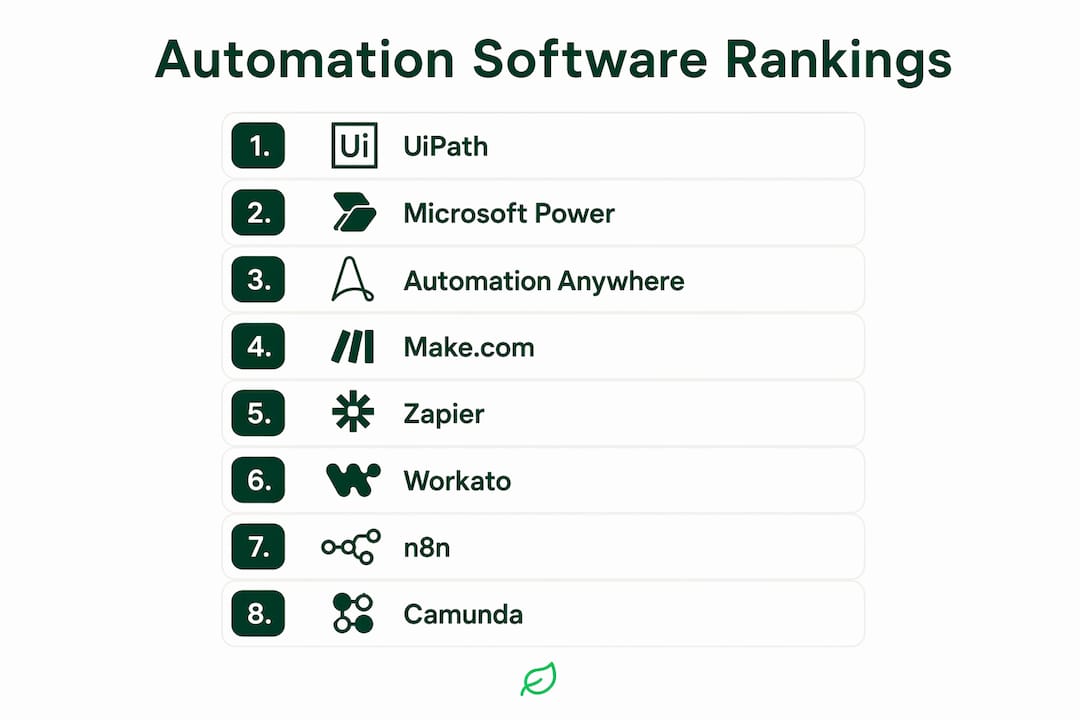
- Zapier — best for SMBs and ops teams automating SaaS workflows without developer support
- Make (Make.com) — best for mid-market teams needing visual, multi-step logic at lower cost than enterprise platforms
- Microsoft Power Automate — best for organizations already in the Microsoft 365 or Dynamics ecosystem
- UiPath — best for enterprise RPA with strong governance, audit trails, and attended/unattended bot management
- Automation Anywhere — best for enterprises prioritizing agentic automation and AI-driven process reasoning
- Workato — best for mid-market to enterprise teams needing deep iPaaS integrations with business-user-friendly design
- n8n — best for technical teams wanting open-source, self-hosted workflow automation with full data control
- Camunda — best for enterprises with complex, long-running BPMN-based processes requiring developer-grade orchestration
- Blue Prism — best for regulated enterprises (financial services, healthcare) needing agentic AI vs. RPA governance at scale
If your workflows cross three or more systems, involve compliance requirements, or require custom data flows, request a vendor demo before committing. If you're dealing with legacy systems, regulated data, or processes that no off-the-shelf tool maps cleanly onto, an agency audit from Cannatract is the faster path to a working system.
Table of Contents
- How do these automation tools compare side by side?
- Per-tool reviews: strengths, weaknesses, and pricing
- How to choose automation software for your team
- What security and compliance controls should you require?
- How we selected and evaluated tools in this guide
- When should you hire a custom automation agency instead of buying software?
- What are the recommended next steps after reading this guide?
- Key Takeaways
- The gap between automation demos and production reality
- Cannatract builds what off-the-shelf platforms can't configure
- Useful sources and vendor documentation
- FAQ
How do these automation tools compare side by side?
Connector scale matters more than most buyers realize. Microsoft Power Automate supports over 1,400 prebuilt, certified connectors — including SAP, Salesforce, and Dynamics 365 — making it the platform with the broadest out-of-the-box integration library among those reviewed here.
| Tool | Best for | Pricing shape | Integrations | Ease of use | Scale & governance | Deployment | AI/agent capabilities | Security & compliance | Support ecosystem |
|---|---|---|---|---|---|---|---|---|---|
| Zapier | SMB, ops teams | Per-task pricing; free tier available | — | No-code; very low barrier | Team workspaces, BYOM, role-based access | Cloud only | AI steps, Zapier Agents | SOC 2 Type II | Large community; paid support |
| Make | Mid-market, technical ops | Per-operation pricing; free tier | — | Visual, low-code | Scenario versioning, team roles | Cloud only | AI modules, HTTP/webhook | SOC 2 Type II | Community + paid plans |
| Microsoft Power Automate | Microsoft-stack enterprises | Per-user and per-flow licensing | 1,400+ certified connectors | Low-code; Power Platform ecosystem | DLP, audit logs | Cloud + on-prem gateway | Copilot AI, process mining | SOC 2, ISO 27001, FedRAMP | Microsoft partner network |
| UiPath | Enterprise RPA | Per-robot/user licensing; enterprise quotes | SAP, Salesforce, ERP, custom | Low-code studio + developer APIs | Orchestrator, audit logs, role-based | Cloud + on-prem | AI Center, Document Understanding | SOC 2, ISO 27001, HIPAA | Global SI partners, UiPath Academy |
| Automation Anywhere | Enterprise agentic automation | Consumption-based + enterprise | SAP, Salesforce, ServiceNow, custom | Low-code + developer | Process Reasoning Engine, audit trails | Cloud + on-prem | AARI, CoE Manager, LLM agents | SOC 2, ISO 27001, FedRAMP | Partner marketplace, CoE support |
| Workato | Mid-market to enterprise iPaaS | Recipe-based pricing; enterprise tiers | over 1,400 connectors | Business-user friendly, low-code | Audit logs, environment management | Cloud | AI by Workato, LLM connectors | SOC 2 Type II, ISO 27001 | Workato Community, CSM support |
| n8n | Technical teams, self-hosted | Free open-source; cloud plans | 400+ nodes + custom | Developer-first, low-code UI | Self-managed governance | Cloud + self-hosted | LangChain nodes, AI agent flows | Self-managed; cloud: SOC 2 | Community forums, paid support |
| Camunda | Enterprise BPM/orchestration | Community free; enterprise pricing | REST APIs, Java, custom | Developer-grade, BPMN modeling | Process lifecycle, audit, versioning | Cloud + self-hosted | AI-assisted modeling | SOC 2, ISO 27001 | Partner network, Camunda Academy |
| Blue Prism | Regulated enterprise RPA | Enterprise licensing | SAP, Salesforce, legacy systems | Developer + low-code | Centralized control room, audit logs | Cloud + on-prem | Decipher IDP, SS&C Blue Prism AI | SOC 2, ISO 27001, FedRAMP | Global SI partners |
| Cannatract | Regulated, complex, custom builds | Fixed-quote project + retainer | Any system via custom integration | Fully managed; no internal dev needed | Compliance-aware, custom audit design | Cloud + on-prem per project | Custom AI agents, LLM orchestration | Designed per client requirements | Direct agency relationship |
Reader map by segment:
- SMB (under 100 employees): Zapier, Make, or Power Automate (if Microsoft-native)
- Mid-market: Workato, Make, or Power Automate
- Enterprise: UiPath, Automation Anywhere, Camunda, Blue Prism
- Regulated or complex environments: Blue Prism, Automation Anywhere, or Cannatract custom build
Per-tool reviews: strengths, weaknesses, and pricing
Zapier
Zapier is the default starting point for business process automation at the SMB level, and for good reason. Its no-code interface lets ops managers connect many apps without writing a line of code, and the free tier is genuinely useful for simple trigger-action flows. The pricing model charges per task run, which stays affordable at low volume but compounds quickly as automation scales. Governance has improved significantly: Zapier now offers team workspaces, managed connections, and BYOM controls so IT can maintain oversight while business users build.

Pros: Fastest time to first automation; massive app library; no developer required. Cons: Task-based pricing gets expensive at scale; limited support for long-running or stateful processes; not suited for enterprise governance requirements. Pricing: Free tier available; paid plans scale by task volume and team size. Enterprise pricing on request.
Make (Make.com)
Make's visual scenario builder gives mid-market teams a level of logic control that Zapier's linear model doesn't match. You can build branching flows, error-handling paths, and multi-step data transformations without writing code. Per-operation pricing is generally lower than Zapier at equivalent volume. The trade-off is a steeper learning curve for non-technical users, and enterprise governance features are less mature than UiPath or Power Automate.
Pros: Visual logic builder; strong value at mid-volume; HTTP/webhook support for custom integrations. Cons: Learning curve for complex flows; governance and audit features are limited compared to enterprise platforms. Pricing: Free tier; paid plans priced per operation bundle. Enterprise plans available.
Microsoft Power Automate
Power Automate earns its place in any Microsoft-native organization. With over 1,400 certified connectors, it connects to SAP, Salesforce, Dynamics 365, and the full Microsoft 365 suite without custom development. The platform covers both cloud flows (DPA) and desktop flows (RPA), and its process mining capability helps teams identify automation opportunities before building. Microsoft named it a Leader in the 2025 Gartner® Magic Quadrant™ for Robotic Process Automation. Licensing is per-user or per-flow, and costs can rise when premium connectors and process mining are added.

Pros: Deepest Microsoft ecosystem integration; combined RPA + DPA + AI in one platform; strong governance and DLP controls. Cons: Pricing complexity with premium connectors; less intuitive outside the Microsoft stack; on-prem requires gateway configuration. Pricing: Power Automate Premium and Power Automate Process tiers; 30-day free trial available.
UiPath
UiPath is the enterprise RPA standard for a reason. Its Orchestrator platform manages attended and unattended bots at scale, with role-based access, audit logs, and detailed process analytics built in. UiPath Studio gives developers a full-featured IDE while the low-code interface keeps business analysts productive. Implementation timelines for enterprise deployments typically run 8–16 weeks, and professional services costs are real. The AI Center adds document understanding and ML model management for intelligent document processing.
Pros: Best-in-class RPA governance; strong partner ecosystem; UiPath Academy reduces onboarding time. Cons: High licensing and implementation cost; overkill for SMB use cases; requires dedicated RPA team to maintain at scale. Pricing: Per-robot and per-user licensing; enterprise quotes required for full Orchestrator deployments.
Pro Tip: Ask UiPath for a proof-of-concept scoping session before signing an enterprise contract. The gap between a demo environment and a production deployment with legacy systems is where most cost surprises appear.
Automation Anywhere
Automation Anywhere has moved decisively toward agentic process automation, positioning its Process Reasoning Engine as the layer that lets AI agents plan and execute multi-step tasks rather than follow static scripts. This is a meaningful shift from traditional RPA: where rule-based bots break when a UI changes, agentic approaches use LLM reasoning to adapt. Enterprise capabilities include a Center of Excellence (CoE) Manager, AARI (Automation Anywhere Robotic Interface) for attended automation, and FedRAMP authorization for government use.
Pros: Leading agentic AI capabilities; strong compliance posture; consumption-based pricing aligns cost with usage. Cons: Complex to implement without dedicated automation architects; vendor lock-in risk with proprietary agent frameworks. Pricing: Consumption-based model plus enterprise licensing tiers; pricing not publicly listed for enterprise.
Workato
Workato sits at the intersection of iPaaS and business process automation, giving mid-market and enterprise teams a platform where business analysts can build integrations without waiting on IT. Its recipe-based model makes complex multi-system flows readable and maintainable. Audit logs, environment management (dev/staging/production), and LLM connectors are all available. The "AI by Workato" layer adds natural-language recipe building and intelligent data mapping.
Pros: Business-user-friendly design with enterprise-grade governance; strong CRM automation software capabilities for Salesforce and HubSpot; good support model. Cons: Recipe-based pricing can be hard to forecast at scale; less suited for heavy RPA (desktop automation) use cases. Pricing: Recipe-based tiers; enterprise pricing on request.
n8n
n8n is the choice for technical teams that want full data ownership and the flexibility to run automation on their own infrastructure. The open-source core is free and self-hostable; the cloud version adds managed hosting with SOC 2 compliance. With over 400 native nodes and support for custom HTTP calls, n8n handles complex API orchestration that no-code tools can't reach. Its LangChain integration and AI agent flow support make it a serious option for developer-led AI automation.
Pros: Open-source and self-hostable; strong developer flexibility; growing AI/agent ecosystem; no per-task pricing on self-hosted. Cons: Requires technical setup and maintenance on self-hosted; governance is self-managed; smaller enterprise support network than commercial platforms. Pricing: Free (self-hosted); cloud plans priced by workflow executions. Enterprise cloud plans available.
Camunda
Camunda is built for enterprises where business processes are genuinely complex: long-running, multi-participant, and requiring formal modeling. Its BPMN-based approach lets teams design process diagrams that serve as both documentation and executable workflows, which is a governance advantage that BPA tools emphasize for identifying bottlenecks in complex operations. Camunda's open standards mean you're not locked into a proprietary runtime, and its self-hosted option gives regulated industries full deployment control.
Pros: Best BPMN process modeling; open standards; strong versioning and process lifecycle management; self-hostable. Cons: Developer-grade complexity; not suited for simple trigger-action automations; implementation requires process modeling expertise. Pricing: Community edition free; Camunda SaaS and self-managed enterprise pricing on request.
Blue Prism
Blue Prism has long been the RPA platform of choice for financial services, healthcare, and other regulated industries. Its centralized Control Room provides enterprise-grade bot management, audit logging, and access controls that satisfy compliance teams. The Decipher IDP module handles intelligent document processing, and SS&C Blue Prism's AI capabilities now include agentic features. FedRAMP authorization makes it viable for government deployments.
Pros: Strongest compliance posture among RPA vendors; centralized governance; proven in regulated industries. Cons: High cost and implementation complexity; less flexible for rapid iteration than newer platforms; requires dedicated RPA operations team. Pricing: Enterprise licensing; pricing not publicly listed.
The market is shifting from rule-based RPA to agentic approaches that use LLM reasoning for planning and decision-making. Vendors that can only show you scripted demos are worth scrutinizing carefully before signing a multi-year contract.
How to choose automation software for your team
The right platform depends on four variables: your existing tech stack, your governance requirements, your team's technical capacity, and how much of the automation you plan to maintain internally.
Evaluation checklist
| Capability | What to verify | Why it matters |
|---|---|---|
| Integrations | Native connectors for your core systems (CRM, ERP, HRIS) | Avoids costly custom connector builds |
| Governance | Role-based access, audit logs, DLP policies | Required for compliance and IT oversight |
| AI/agent capabilities | LLM support, BYOM, process reasoning | Determines future-proofing for agentic workflows |
| Scalability | Bot/flow concurrency limits, enterprise licensing model | Prevents re-platforming as volume grows |
| Maintenance | Who owns updates when vendor APIs change | Hidden cost driver in year 2+ |
| Deployment | Cloud-only vs. on-prem/hybrid options | Non-negotiable for regulated data environments |
| Pilot support | Sandbox environments, professional services availability | Reduces risk of failed production rollout |
Questions to ask on vendor demo calls
- What is the latency on your most-used connectors, and how is it measured?
- Can you show us a live audit log from a production environment?
- Do you support bring-your-own-model (BYOM) for LLM integrations?
- What are your SLAs for connector downtime, and what is the rollback process?
- How are access controls managed at the individual action level?
- What does your professional services engagement look like for a 90-day pilot?
Implementation timeline and typical cost brackets
| Stage | SMB timeline | Enterprise timeline | Key cost drivers |
|---|---|---|---|
| Scoping & vendor selection | 2–4 weeks | 4–8 weeks | Internal time, RFP process |
| Pilot (2–3 automations) | 2–4 weeks | 6–12 weeks | Professional services, connector licenses |
| Production rollout | 4–8 weeks | 12–24 weeks | Enterprise licensing, governance setup |
| Ongoing maintenance | Ongoing | Ongoing | Connector updates, bot monitoring, support tiers |
Costs compound in predictable places: premium connector charges, enterprise governance modules (audit logging, DLP, SSO/SCIM), and professional services for complex integrations. Budget for these explicitly before signing. A pilot that only tests happy-path flows in a sandbox will not validate production readiness — include at least one exception-handling scenario and one integration with a legacy system before declaring success.
What security and compliance controls should you require?
Security requirements for automation software are not optional checklist items. A workflow automation platform that touches your CRM, ERP, or customer data is a high-value target, and governance gaps in production are where compliance failures originate.
- SOC 2 Type II or ISO 27001 certification. Request the actual audit report, not just a badge on the vendor's website. Ask for the report date and scope — a SOC 2 report that excludes your deployment region is not sufficient coverage.
- SSO and SCIM provisioning. Single sign-on and automated user provisioning/deprovisioning are baseline requirements for any platform with more than a handful of users. Verify that your identity provider (Okta, Azure AD, Google Workspace) is supported natively.
- Role-based access controls at the action level. Workspace-level roles are not enough. You need the ability to restrict which users can trigger, edit, or view specific automations and the data they handle.
- Immutable audit logs. Ask the vendor to show you a sample audit log from a production environment. Confirm that logs cannot be edited or deleted by platform administrators, and ask about log retention periods and export options.
- Encryption at rest and in transit. Verify the encryption standard (AES-256 at rest, TLS 1.2+ in transit) and ask about key management options, including customer-managed keys (CMK) for regulated data.
- Data residency and deployment options. For HIPAA, FedRAMP, or state-level data residency requirements, confirm whether the vendor offers dedicated cloud regions or on-prem deployment. Cloud-only platforms with no data residency controls are a hard blocker for some regulated industries.
Pro Tip: When a vendor says they are "SOC 2 compliant," ask specifically for their Type II report and the date of the most recent audit. Type I reports only confirm that controls exist on a single day — Type II confirms they operated effectively over a period of time. That distinction matters for any compliance team.
For production governance, build these practices into your operating model from day one: maintain an asset history for every automation, use immutable logs for all bot actions, and define an incident response process before you go live. Treating governance as a post-launch concern is the most common mistake teams make with enterprise automation.
How we selected and evaluated tools in this guide
Every tool in this guide was evaluated against the same set of criteria: integration depth (native connector count and quality), governance and compliance posture (certifications, audit logging, access controls), AI and agent capabilities (LLM support, BYOM, process reasoning), deployment flexibility (cloud, on-prem, hybrid), support ecosystem (partner network, documentation, training), and pricing transparency.
Data sources include vendor documentation, public product pages, Microsoft's published connector count, Gartner's BPA market definitions, and Blue Prism's published technical resources. Pricing information reflects publicly available plan structures; enterprise pricing was noted as "on request" where vendors do not publish it.
Where public pricing was unavailable, this guide describes the pricing model qualitatively (per-task, per-recipe, per-robot) and recommends verifying exact figures during vendor calls. Pricing structures change frequently, and a number from a third-party review site is rarely current.
When should you hire a custom automation agency instead of buying software?
Off-the-shelf platforms cover the majority of use cases well. But there is a category of automation problem where buying a SaaS platform and configuring it internally produces a system that is expensive to maintain, difficult to audit, and brittle under regulatory scrutiny.
Agency vs. software decision framework
| Scenario | Best approach | Why |
|---|---|---|
| Simple SaaS-to-SaaS automations (e.g., CRM to email) | Off-the-shelf (Zapier, Make) | Fast setup, low cost, no dev needed |
| Microsoft-native workflow automation | Off-the-shelf (Power Automate) | Native connectors, existing licensing |
| Enterprise RPA with standard systems | Off-the-shelf (UiPath, Automation Anywhere) | Proven frameworks, large partner ecosystem |
| Complex compliance or regulated data flows | Custom agency build (Cannatract) | Compliance embedded in design, not bolted on |
| Legacy system integration with no API | Custom agency build (Cannatract) | Requires custom connectors and state management |
| Bespoke AI agents with proprietary logic | Custom agency build (Cannatract) | LLM orchestration and governance designed per requirements |
| Ongoing managed automation operations | Agency retainer (Cannatract) | Frees internal team; guaranteed SLAs |
Custom builds outperform off-the-shelf in three specific scenarios. First, when compliance requirements are non-negotiable and the audit trail must be designed to a specific regulatory standard, not adapted from a generic SaaS logging model. Second, when the automation must bridge legacy systems with no modern API, requiring custom connectors and persistent state management. Third, when the business logic is proprietary enough that a generic platform's data model creates more workarounds than it solves.
Cannatract's engagement model is built around these scenarios. The process starts with a free automation audit to identify the workflow costing your team the most time, followed by a fixed quote and a working system delivered in 2–4 weeks. Clients in regulated industries benefit from AI automation designed with compliance controls from the first line of code, not retrofitted after the fact.
Pro Tip: When evaluating an agency proposal, ask for a governance plan alongside the technical scope. A proposal that describes what gets built but not how it gets audited, monitored, and handed off is a proposal that will cost you more in year two than year one.
When requesting a proposal from any automation agency, ask for: a clear scope document, a governance and auditability plan, defined uptime SLAs, a handoff and training plan, and explicit ownership of the codebase or workflow definitions after delivery.
What are the recommended next steps after reading this guide?
The fastest path from this article to a working automation is a focused pilot, not a full platform evaluation.
For teams leaning toward off-the-shelf platforms:
- Pick two tools from the shortlist that match your tech stack and run a 30-day pilot on a single, well-defined process.
- Involve your IT security team before the pilot starts, not after. Get governance and access control requirements documented upfront.
- Define one success metric before the pilot begins (time saved, error rate, throughput). A pilot without a measurable outcome is a demo, not a validation.
For teams with complex, regulated, or legacy-system requirements:
- Request a free automation audit from Cannatract before committing to any platform purchase.
- Prepare a short brief: which process costs the most time, which systems it touches, and what compliance requirements apply.
- Involve a stakeholder from legal or compliance in the scoping conversation from day one.
Risk checklist before moving to pilot:
- Data access confirmed and scoped (no over-permissioned service accounts)
- Governance signoff from IT security
- Success metric defined and baselined
- Rollback plan documented for production failure
- Vendor SLA reviewed and accepted
Key Takeaways
The most important selection signal in any automation software evaluation is governance depth: audit logs, access controls, and compliance certifications determine whether a platform can survive a security review, not just a demo.
| Point | Details |
|---|---|
| Match tool to use case | Zapier and Make suit SMBs; UiPath, Automation Anywhere, and Camunda are built for enterprise scale and governance. |
| Governance is non-negotiable | Require SOC 2 Type II, immutable audit logs, and role-based access before any platform reaches production. |
| Integration depth drives real cost | Premium connectors, enterprise governance modules, and professional services are where budgets overrun — verify these before signing. |
| Pilot design determines ROI | Define one success metric and include a legacy-system or exception-handling scenario before declaring a pilot successful. |
| Cannatract for complex builds | For regulated, legacy, or bespoke AI agent requirements, Cannatract delivers a fixed-quote, custom-built system in 2–4 weeks. |
The gap between automation demos and production reality
Most automation platforms look identical in a demo. The vendor shows you a clean flow, a polished UI, and a connector that works perfectly against a test environment. What you don't see is what happens six months into production when a third-party API changes its authentication model, a compliance audit requests logs that don't exist in the format required, or a bot fails silently because no one built an alerting system.
Three things worth insisting on before any pilot goes live: a live audit log from an actual production customer (not a sandbox), a documented process for connector failure and rollback, and a clear answer to who owns maintenance when the vendor releases a breaking change.
The integration gotcha that catches teams most often is not the first integration — it's the third. Two systems connecting cleanly does not predict how a five-system orchestration behaves under load, with real data, and with exception cases the original scoping session didn't anticipate. Build your pilot around the messiest process you have, not the cleanest one.
On governance: the most common mistake is treating audit logging as a feature to enable later. In regulated environments, immutable logs must be designed into the automation architecture from the start. Retrofitting them after production deployment is expensive and often incomplete. Vendor marketing claims about compliance are worth verifying against actual audit reports — a SOC 2 badge on a website is not the same as a current Type II report with a scope that covers your deployment.
Cannatract builds what off-the-shelf platforms can't configure
Most of the platforms in this guide are excellent for standard use cases. But if your team is dealing with regulated data flows, legacy systems without modern APIs, or AI agents that need to reason across proprietary business logic, configuring a SaaS platform is rarely the fastest or most cost-effective path.
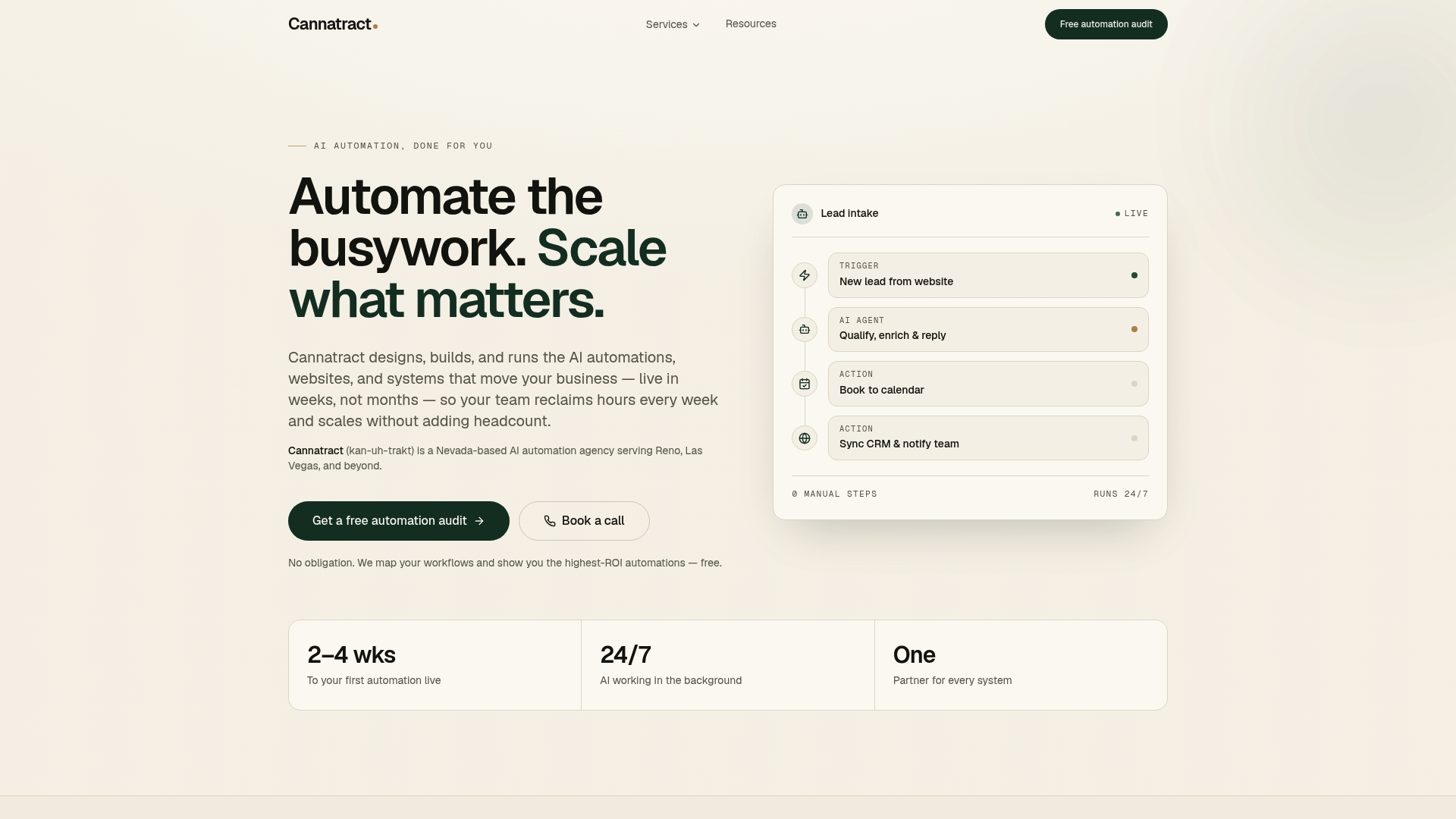
Cannatract designs and builds custom AI agents and workflow automation systems for businesses where the process is too complex, too regulated, or too specific for a generic platform to handle well. Every engagement starts with a free automation audit: you describe the workflow costing your team the most time, and Cannatract scopes a fixed-price solution with a working system delivered in 2–4 weeks. There are no open-ended retainers until you've seen the system work. For teams that need front-end portals or client-facing interfaces alongside their automation, web development and integration is part of the same engagement. Book your free automation audit at cannatract.co and come prepared with the name of the process, the systems it touches, and any compliance requirements that apply.
Useful sources and vendor documentation
- Microsoft Power Automate — Official product page covering connector count, pricing tiers, RPA and DPA capabilities, and the on-premises data gateway. Use for pricing verification and integration reference.
- Automation Anywhere — agentic automation overview — Vendor documentation on the Process Reasoning Engine, AARI, and CoE Manager. Use for agentic capability validation and enterprise licensing context.
- Blue Prism — Agentic AI vs. RPA — Technical comparison of agentic AI, traditional RPA, and AI agents. Use when evaluating whether a vendor's "agentic" claims reflect genuine LLM-based reasoning or rebranded scripting.
- Gartner Peer Insights — Business Process Automation Tools — Peer reviews and Gartner's market definition for BPA tools. Use for independent validation of vendor claims and process-modeling emphasis.
- Microsoft connector count announcement — Microsoft's published confirmation of 1,400+ certified connectors. Use as the authoritative source for Power Automate integration depth.
- Automation Anywhere — What is automation software? — Vendor-backed definitions covering RPA, IDP, IPA, and agentic automation. Use for terminology grounding when briefing stakeholders.
- AI tools in technical workflows — Useful background on how AI tooling is being adopted in developer and technical workflows, relevant to developer-centric automation evaluation.
FAQ
What is the difference between RPA and agentic automation?
RPA follows static, rule-based scripts to automate repetitive tasks; agentic automation uses LLM reasoning to plan, adapt, and execute multi-step processes without predefined rules. Vendors like Automation Anywhere and Blue Prism now offer both, but the underlying architecture differs significantly.
Which automation software is best for small businesses?
Zapier and Make are the most practical choices for small businesses: both offer free tiers, require no developer support, and connect to hundreds of common SaaS tools. Power Automate is the better choice if your team already uses Microsoft 365.
How long does an automation software implementation take?
For SMBs running a focused pilot on two to three automations, expect 2–4 weeks. Enterprise deployments with governance setup and legacy system integration typically run 12–24 weeks. Custom agency builds through Cannatract deliver a working system in 2–4 weeks with a fixed quote.
What security certifications should I require from an automation vendor?
At minimum, require SOC 2 Type II certification, role-based access controls, and immutable audit logs. For regulated industries (healthcare, finance, government), also verify ISO 27001, HIPAA compliance, or FedRAMP authorization depending on your data classification.
When does it make sense to hire an automation agency instead of buying software?
When your workflows cross regulated data environments, require legacy system integration with no modern API, or need bespoke AI agent logic, a custom agency build typically delivers better long-term control and lower maintenance cost than a configured SaaS platform.